What's new in WriteIDE 0.5.3
The whole point of writing in WriteIDE is staying in the groove. You type /level, bump a stat, and keep writing. The tool is supposed to get out of your way. So 0.5.3 is a flow-state release. I went through every dialog you touch mid-sentence and made two things true. You never have to reach for the mouse, and nothing looks like a prototype anymore.
Here is what changed, in plain terms.
New: Your hands never leave the keyboard
Every slash-command wizard now behaves the way muscle memory expects:
- The field you want is already focused when the wizard opens. Type
/characterand start typing the name. It goes straight in, with no clicking into the box first. - Enter confirms. Esc cancels. Tab moves between fields and never jumps out to the editor behind the dialog.
- Where it helps, there is a small reminder in the footer that reads "Enter to confirm, Esc to cancel", so you are never guessing.
It sounds small, but it adds up. A stat edit used to cost me a second of concentration. Now I barely notice it. This holds across the stat-block, level-up, loot, damage and heal, equip, trade, and character wizards, all enforced by one shared piece of code so they stay consistent.
New: The dialogs got a redesign
The dialogs had drifted. Every list boxed each row in its own border, focus rings glowed a harsh color, and different dialogs used different shades, so the app read as stitched together. I rebuilt them against one standard.
The clearest example is the character picker. It now shows your characters as a clean list with their portraits, a soft highlight on the selected row, and a search box that is easy on the eyes.
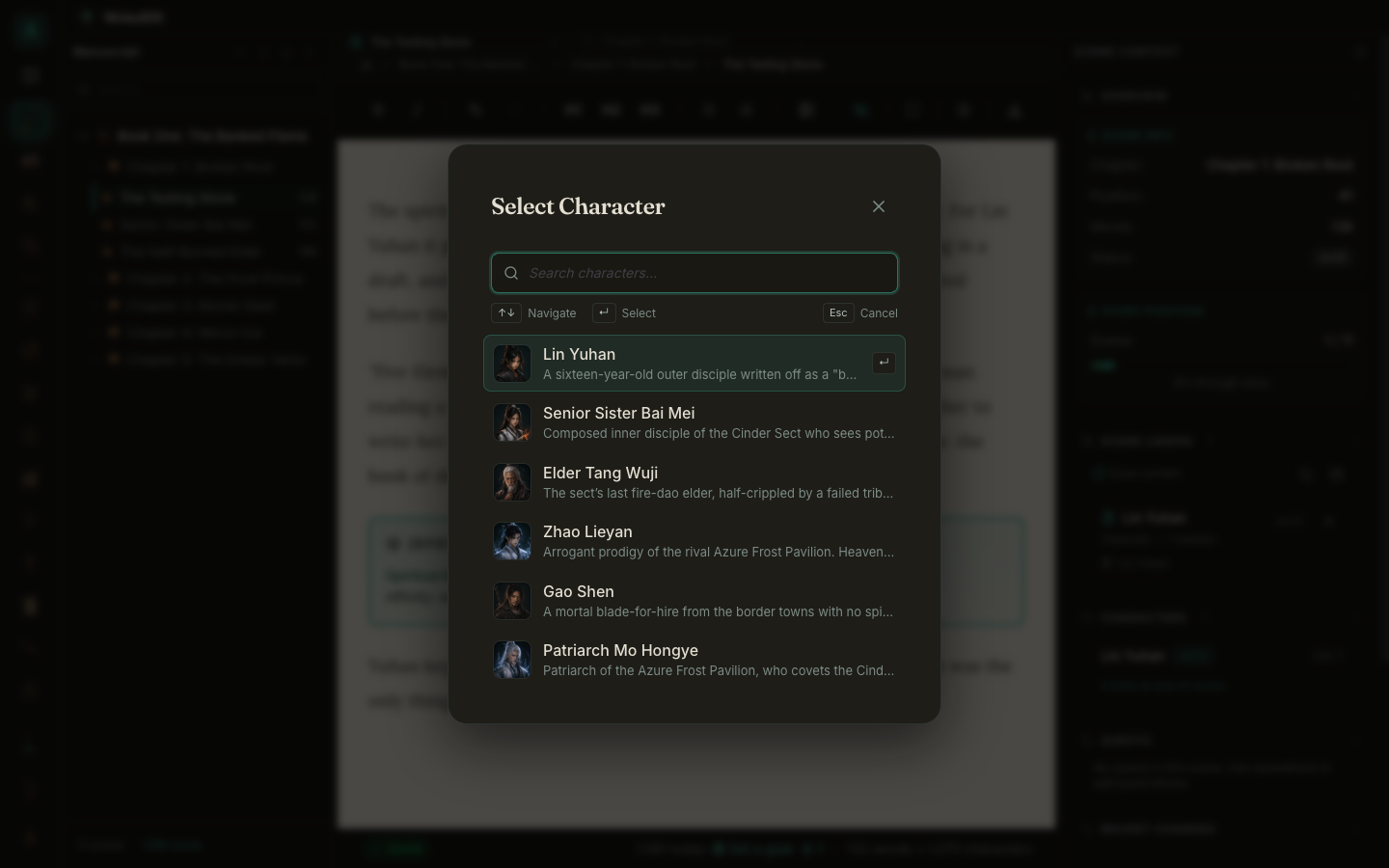
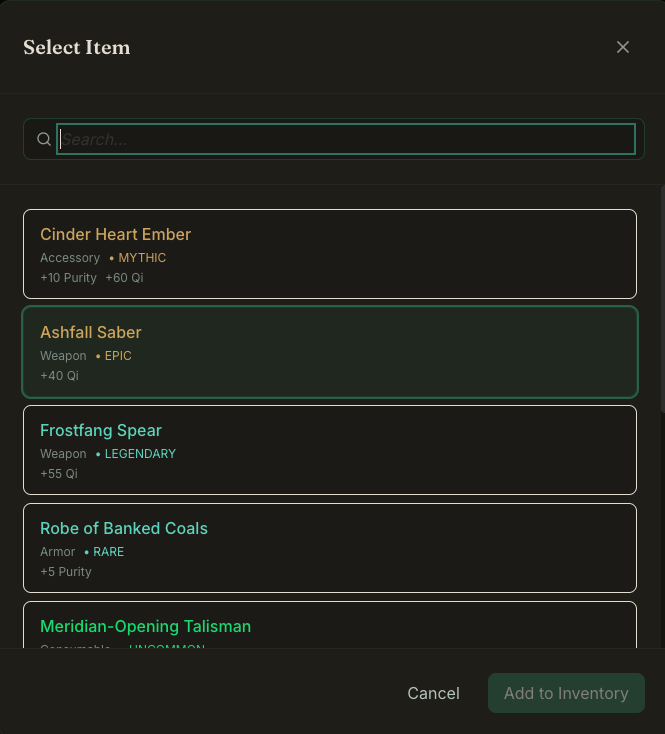
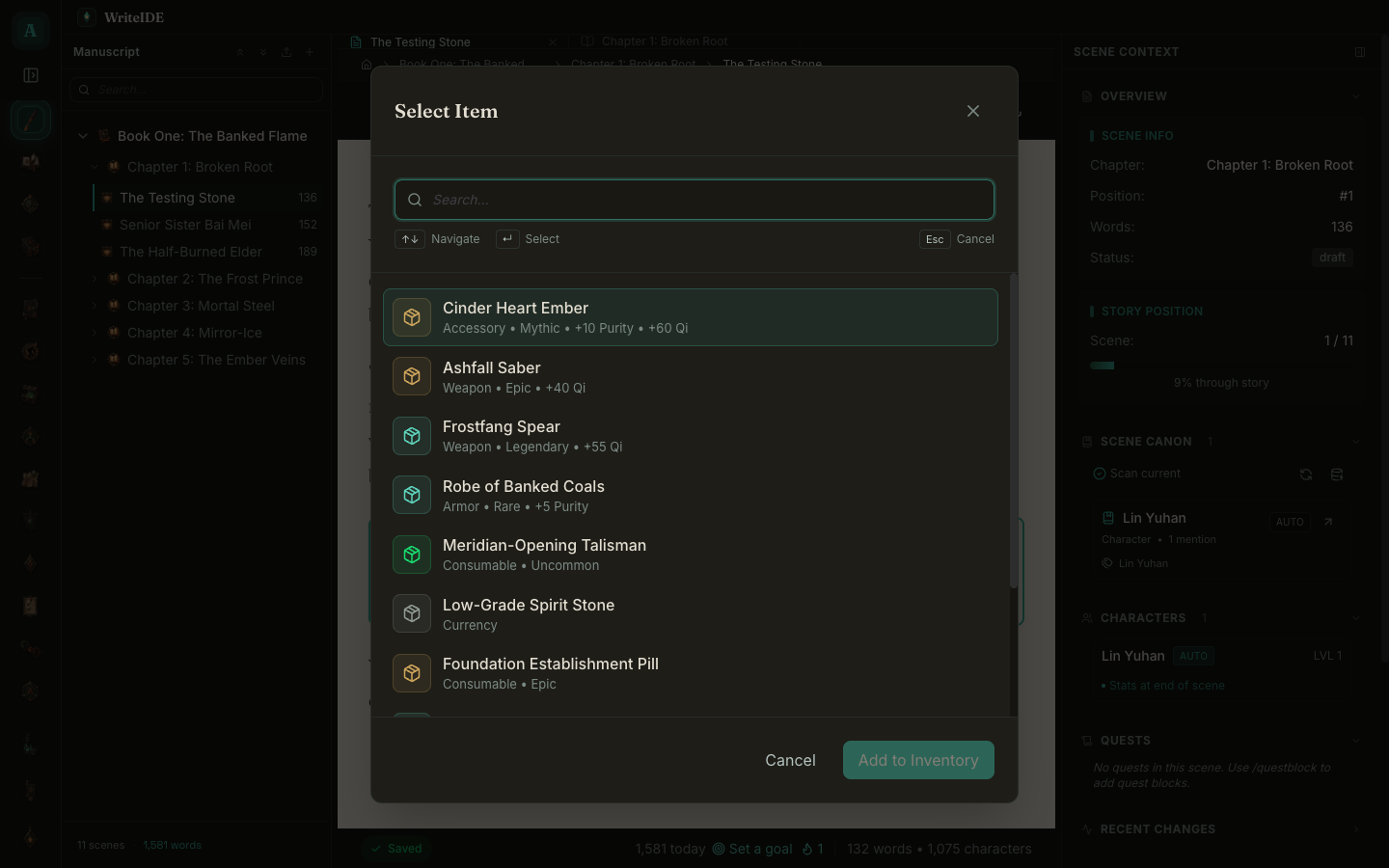
I took that same treatment everywhere. Here is the item picker. Before, every item sat in its own bordered box. After, it is a clean list, with the rarity shown by a small colored tile instead of a loud outline.
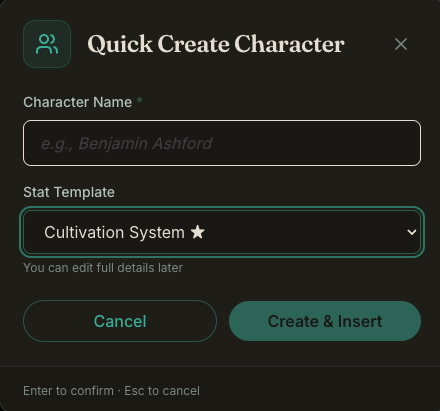
The small create dialogs got the same pass. The Quick Create character form is a good before and after. The old one had a harsh glowing dropdown. The new one uses the shared themed fields.
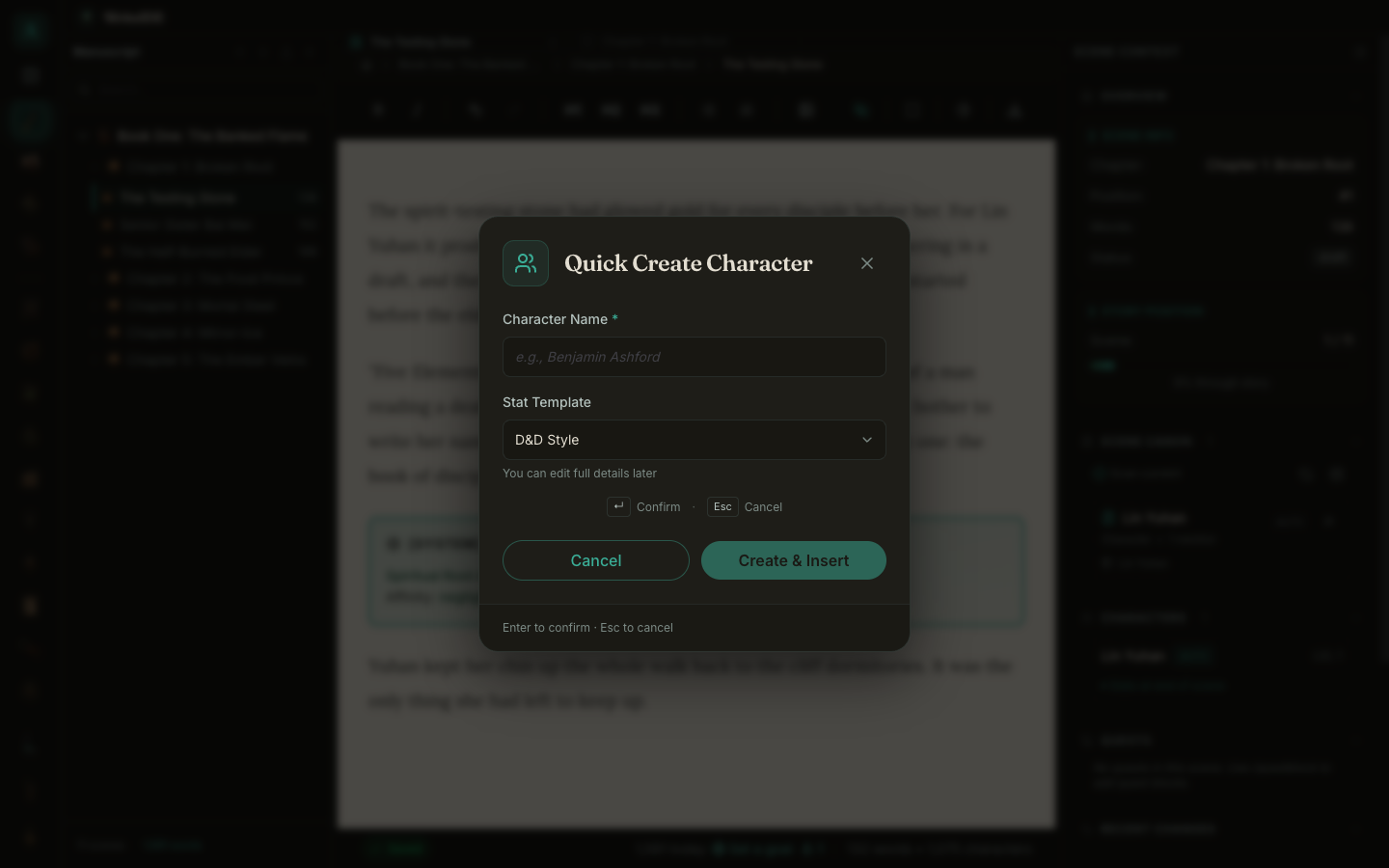
Around fifty dialogs got this pass. It is correct in both themes now, the nightjade dark theme and the ink-on-moss light theme, because everything draws from one set of color tokens instead of hardcoded shades.
New: Pick up exactly where you left off
A few small wins that take friction out of the daily loop:
- Zero-click resume. Reopen WriteIDE and you land back in the exact scene you were writing, not scene one. The app remembers where you were.
- A keyboard shortcut for export. Cmd+E exports the manuscript from anywhere, so the one publishing action you reach for most finally has a shortcut.
- Autosave tells you it saved. Editing a character's backstory or notes now shows a quiet "Saving", then "Saved", and if a save ever fails it says so instead of failing silently.
- A list that fails to load now offers a Retry instead of looking empty and tempting you to recreate something that is already there.
New: Factions and the Quest Board are live
Two surfaces that were waiting in the wings are now in the app, and both follow the same rule as the rest of WriteIDE: manual control with deterministic help.
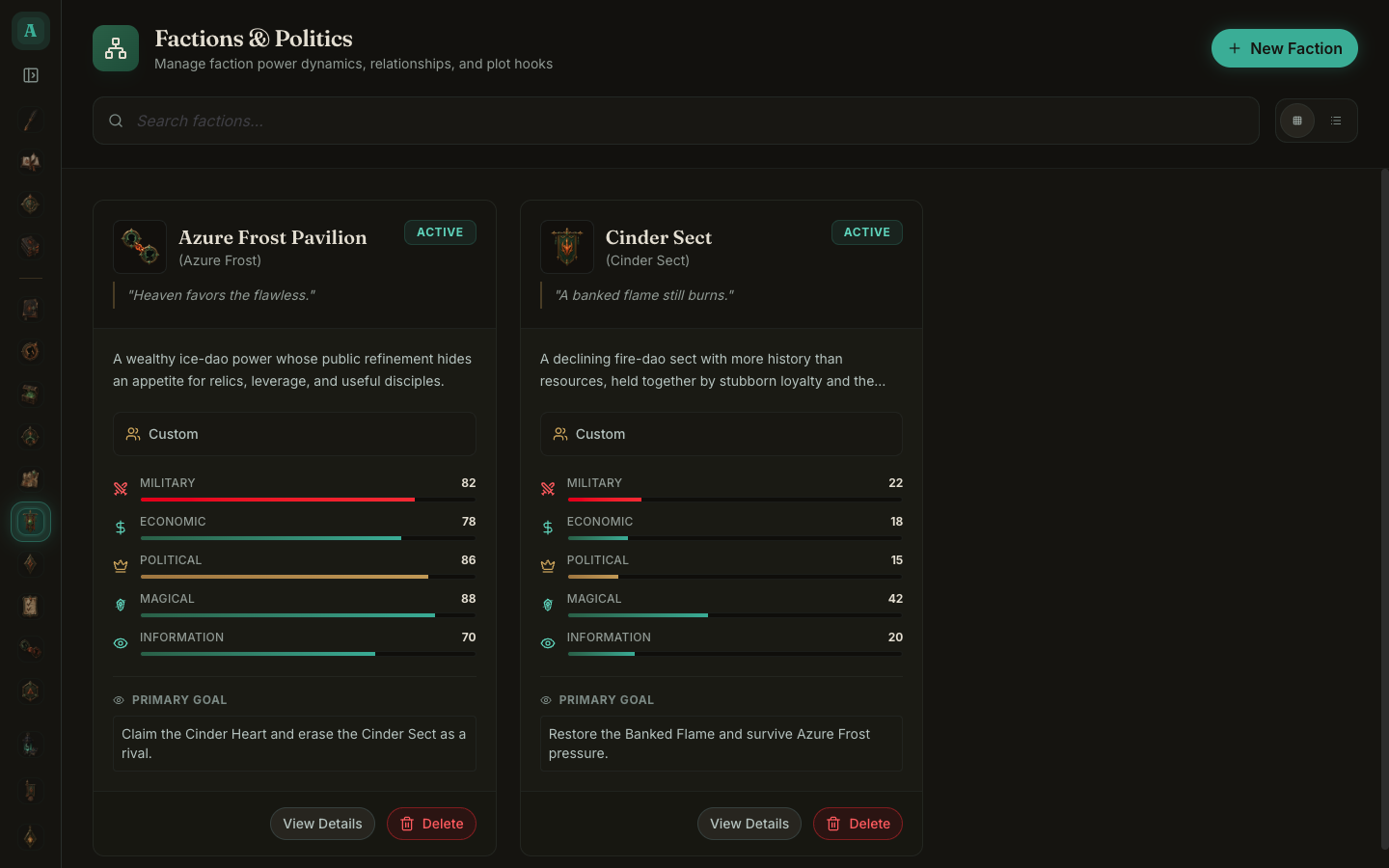
Factions lets you track the powers and politics of your world. Each faction carries five power dimensions (military, economic, political, magical, information) that you set by hand, so you can see at a glance who outguns whom. You create one with the New Faction button or the /faction command while writing, and you can record a power shift at a specific scene with /factionpower. That change is stored as a point-in-time event, the same way a character's stats are, so the numbers stay correct for whatever scene you jump to.
The Quest Board shows your plot threads at a glance: goals, subplots, promises, and Chekhov's guns, each with a status and an importance. You add a thread with the New Thread button or the /thread command, and move it along with /threadstatus as the story progresses. The health score and the active and resolved counts at the top are computed straight from your threads. Nothing is guessing; it is counting what you wrote down.
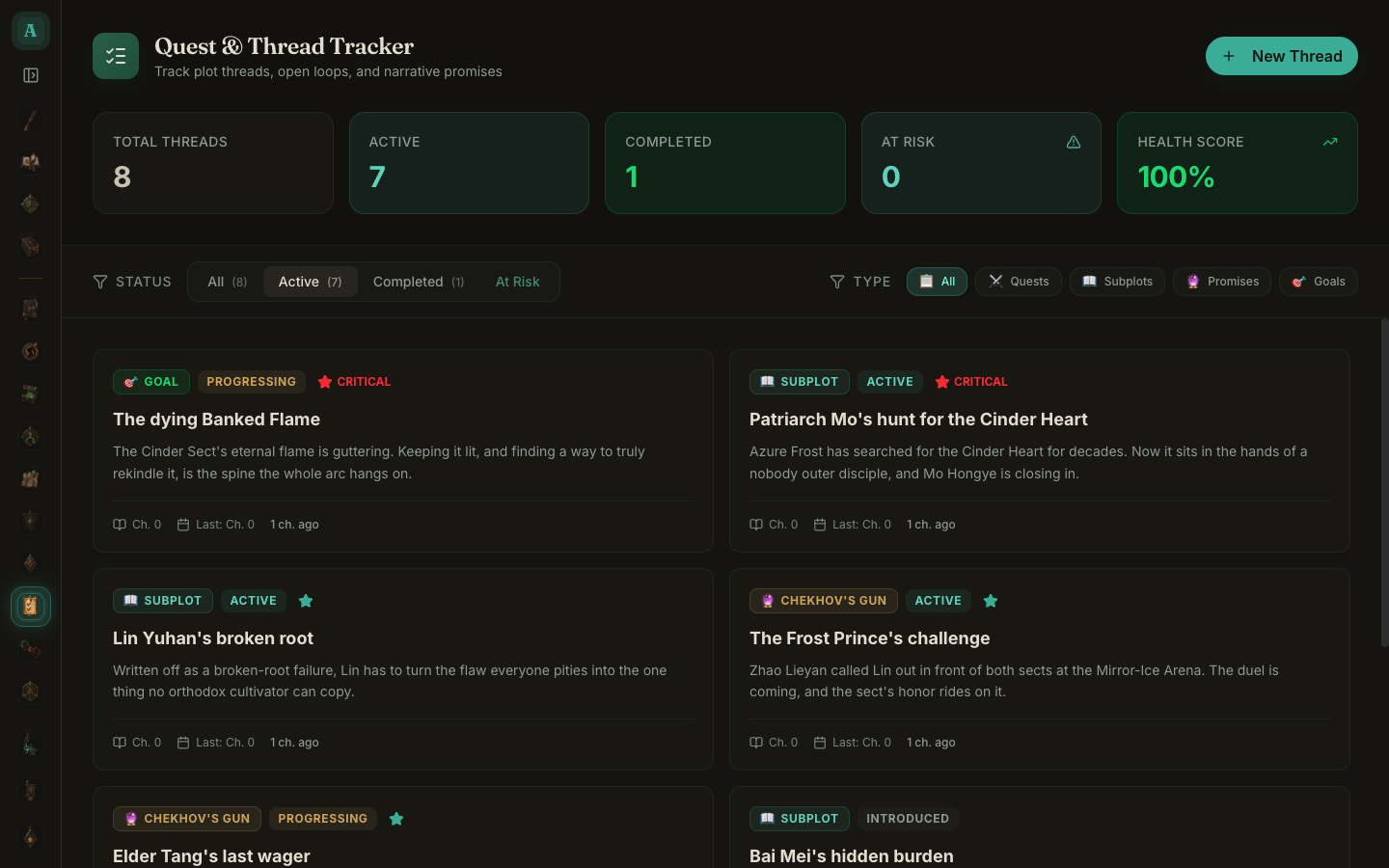
The demo project ships with a full set of both now, so when you load it you land in a world that already has its factions and its open threads, not an empty board.
Under the hood
This release is built on a small foundation: a shared dialog-keyboard convention, a set of themed form fields (input, select, textarea), and a single design language every dialog follows. That is why the changes above are consistent instead of one-off, and why the next dialog I add will already look and behave right. All of it shipped green, with the type-checks, the full test suite, and a build-and-launch smoke check passing.
This all came from using the tool to write and noticing every place it asked me to slow down. If you hit one I missed, tell me.
More in Release notes
Saves and backups are safer and visible, words typed just before a crash are offered back, lost projects can be restored from their backups, and long manuscripts import without freezing.
9 min readWriteIDE 0.7.3: every resource pool, clearer History, safer scene changesDamage, healing and Record a change now work with every numeric resource, stat edits land where you are looking, and History and scene deletion explain what they do.
4 min readWriteIDE 0.7.2: safer stats, saved chapters, and a calmer workspacePrepare saved chapters, move typed stats through CSV and Excel, and keep typography and Focus choices with each project.
10 min readNotes worth sending
Release notes when a version ships, plus Lab notes and guides. No weekly filler.