From Scrivener · WriteIDE 0.7.3
Keep the Scrivener binder, or compile a copy WriteIDE can import.
WriteIDE 0.7.3 imports a compiled DOCX, Markdown, or TXT copy, not the .scriv project. Review the chapters and open the imported story, or keep drafting in Scrivener and use WriteIDE to track changes at each scene.
Available in WriteIDE 0.7.3
What WriteIDE does with that manuscript.
- Import a compiled copy
Compile from Scrivener to Word, Markdown, or plain text. WriteIDE detects chapter and scene structure from headings and breaks, then lets you review the split.
0.7.3 - Keep Scrivener as the manuscript home
Choose Track a story written elsewhere to keep the binder, corkboard, and compile system you already use. WriteIDE sits beside Scrivener as the continuity ledger.
0.7.3 - Track progression Scrivener treats as text
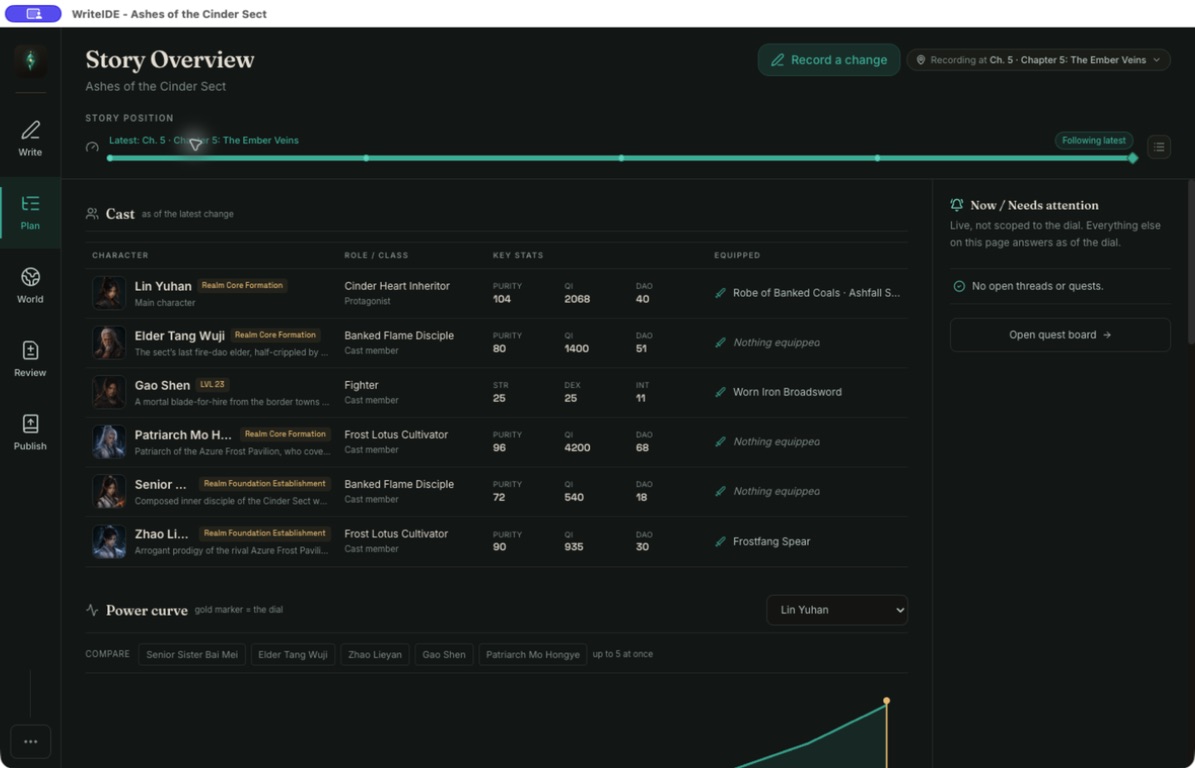
Levels, HP, inventory, classes, skill charges, and quests are database records tied to scenes, not numbers you retype in a status document.
0.7.3 - Stay local-first
The imported copy is saved in WriteIDE’s local data. Importing does not upload the Scrivener project, and WriteIDE does not need an account.
0.7.3
Not in the public release
What this path does not do.
- Native .scriv import
Binder order, status labels, keywords, snapshots, and custom metadata do not come across. Only the compiled manuscript text can be imported.
Not available - Replacing Scrivener compile or corkboard
WriteIDE has outline, board, and export tools of its own. It does not claim Scrivener compile depth, iOS, or a one-click binder takeover.
Not available - Live sync with the Scrivener project
A later compile needs a separate import or manual update. WriteIDE 0.7.3 does not watch the .scriv package or merge later edits automatically.
Not available
Local-first
How to do it on this computer.
- 01 · Compile to .docx, Markdown, or .txt
Include the chapter headings you want WriteIDE to treat as structure. Binder labels alone are not enough.
01 - 02 · Download WriteIDE 0.7.3
Open the desktop app on the same computer that holds the compile.
02 - 03 · Import the compile or start tracker-only
Choose Bring a manuscript on the project library or in New Project if you want the prose in WriteIDE. Choose Track a story written elsewhere if you will keep drafting in Scrivener.
03 - 04 · Open the imported scene or check one story change
After reviewing the split, open your first imported scene. For tracker-only, establish the chapter baseline, record one change in Story Overview, then inspect the character at that scene. A tracker import with fewer than two detected chapters offers a skeleton.
04