From Microsoft Word · WriteIDE 0.7.3
Bring a Word manuscript into a local WriteIDE project.
Bring a .docx copy into WriteIDE 0.7.3, review the detected chapters and scenes, then open your story. Or keep drafting in Word and use WriteIDE as the tracker. Your original file stays separate, and the import stays on your computer.
Available in WriteIDE 0.7.3
What WriteIDE does with that manuscript.
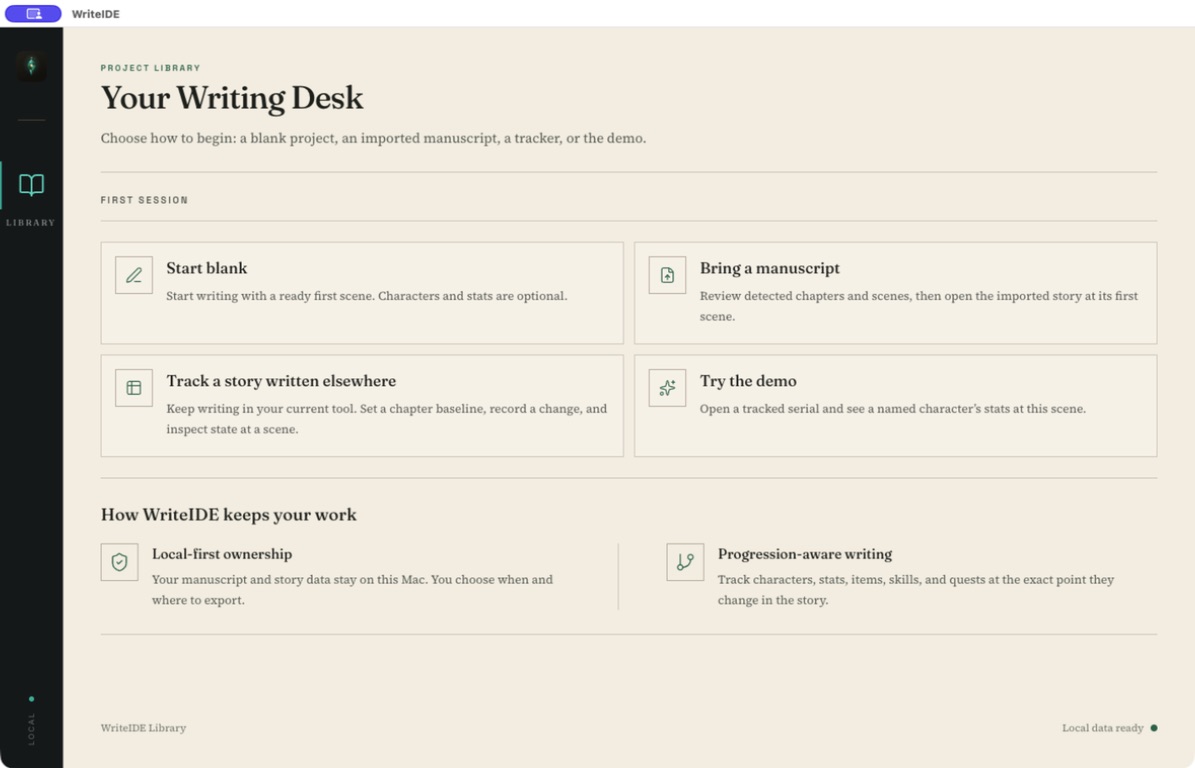
- Import a .docx copy
Choose Bring a manuscript to write in WriteIDE, or Track a story written elsewhere to keep Word as your editor. Both paths let you review the chapter and scene split before confirming the import.
0.7.3 - Keep Word as the editor
Tracker-only projects land on Story Overview. Record loot, levels, class changes, skills, and quests at the right scene while the prose stays in Word.
0.7.3 - Export a new Word file later
Desktop export can write a formatted DOCX for editors. That file is a new copy, not a live save back into the document you imported.
0.7.3 - Stay local-first
The project is saved in WriteIDE’s local data on your computer. No account is required, and the manuscript is not sent to a WriteIDE server.
0.7.3
Not in the public release
What this path does not do.
- Live write-back to the original Word file
Linked DOCX write-back is not available in public 0.7.3. Importing does not keep the source .docx in sync, and it is not a promise to preserve every Word layout detail.
Not available - Cloud backup or a browser app
Those are planned and optional. They are not how a Word file enters WriteIDE today.
Not available - A headingless document becoming a full spine
In the tracker-only path, a file with fewer than two detected chapters offers a chapter skeleton. Bring a manuscript can still import a single-chapter draft; review the detected structure first.
Not available
Local-first
How to do it on this computer.
- 01 · Download WriteIDE 0.7.3
Choose your macOS, Windows, or Linux build and open the free desktop app. Keep a copy of your original manuscript.
01 - 02 · Choose the path that matches how you draft
Choose Bring a manuscript on the project library, or open New Project to find it. Choose Track a story written elsewhere if Word stays the writing surface.
02 - 03 · Select the .docx and review the split
Check chapter titles and scene breaks, adjust the detected split, then confirm the import. This imports a copy; it does not change the original Word file.
03 - 04 · Open your first scene or record one change
Bring a manuscript leads to your first imported scene. In tracker-only, use Story Overview to record one stat change at its scene, then inspect that character at that point in the story.
04