Compare01

The flexible grid vs the story-state ledger

WriteIDE vs spreadsheets for LitRPG stat tracking

A spreadsheet can be exactly right. The real question is not whether a sheet can do math; it is whether you want to design and maintain a story-state system inside one.

Short verdict

Keep the spreadsheet for a light system, collaborative balancing, or a workbook you already trust. Move the canonical story state into WriteIDE when changes must remain attached to scenes, survive reordering, and produce the right sheet at earlier points in the manuscript.

Verified No affiliate links
Proof02

Shipped product evidence

A real screen, not a feature mockup.

WriteIDE Story Overview at Chapter 5 showing current cast, key stats, equipment, open threads, and a power curve controlled by one story-position dial
Real WriteIDE 0.6 screen: one story-position dial scopes cast values, equipment, threads, and the power curve to the same chapter.
Choose03

The fast decision

Choose from the work you need done.

Choose WriteIDE when

History and manuscript position have become part of the problem.

  • The same character has many level, stat, equipment, skill, or quest changes across a long book or series.
  • You reorder scenes and need earlier and later state to keep answering from story order.
  • You want stat blocks and system messages in the manuscript without retyping values from another window.
  • You want deterministic checks and a visible change history without building the schema yourself.

Choose a spreadsheet when

A small, transparent grid is still the shortest path.

  • Your system is light, mostly forward-moving, and easy to audit by eye.
  • You enjoy designing tables, formulas, lookups, validation, and your own event-log conventions.
  • Live co-editing with a co-author or balance reader matters more than manuscript integration.
  • You need quick what-if analysis, ad hoc charts, or a numerical scratchpad rather than a canonical story ledger.

Use both when

Design math and story truth are different jobs.

  • Use a sheet to prototype curves, drop rates, economies, and balance scenarios.
  • Use WriteIDE for the values that actually become canon at named scenes.
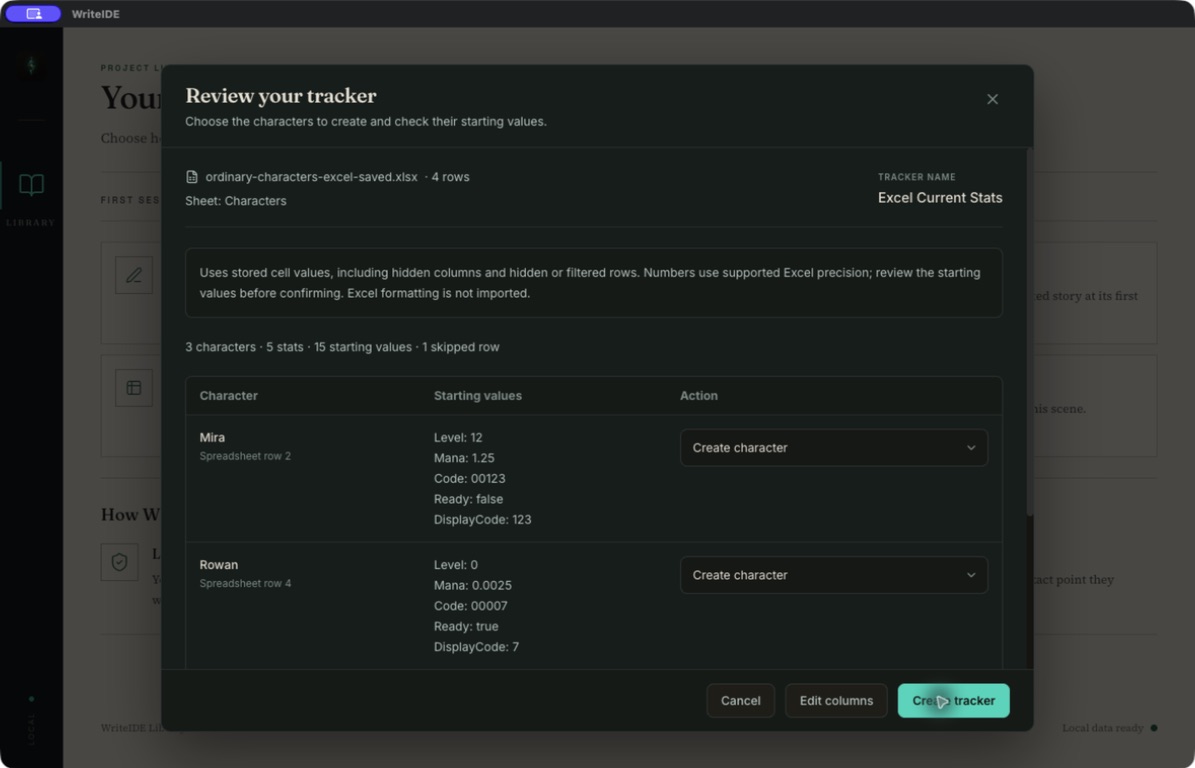
  • Transfer approved rules deliberately; version 0.6 does not claim a live spreadsheet sync.
Table04

Comparable facts and tradeoffs

WriteIDE and spreadsheets, side by side

Comparison assumes a normal author-maintained workbook. A carefully engineered spreadsheet can reproduce many database patterns, but the author owns that engineering.

WriteIDE and spreadsheets, side by side. Comparison assumes a normal author-maintained workbook. A carefully engineered spreadsheet can reproduce many database patterns, but the author owns that engineering.
CriterionWriteIDE 0.6Excel or Google Sheets
Starting pointCharacters, scenes, stats, formulas, inventory, skills, quests, and changes already have a shared model.A flexible grid. Start from a blank sheet or template and decide the schema yourself.
CalculationDerived-stat formulas and progression rules are connected to character state and equipment.Excellent arbitrary formulas, lookups, pivots, and charts. The workbook author controls every rule.
HistoryEach canonical change is recorded against a scene, so an earlier scene can ask what was true then.File version history can recover edits. Story-state history requires your own event log, scene keys, and query formulas.
Scene orderScene order is native to the data model and point-in-time query.Possible to model, but reorder behavior depends on the IDs, ranges, and formulas you designed.
Manuscript connectionThe editor can insert system messages, quests, and scene-locked stat blocks from the same state.Usually a separate source beside Word, Docs, or Scrivener; values are copied unless you build automation.
CollaborationVersion 0.6 is a local desktop studio without live co-authoring.Google Sheets centers co-editing, comments, permissions, and version history; Excel also supports sharing and collaboration.
Ownership and offline useFree desktop app. Project data stays local; no account is required in 0.6.Varies by product and setup. Desktop Excel and configured offline Sheets can work without a live connection.
Ongoing maintenanceThe application owns migrations, domain rules, and author-facing workflows.You own broken references, new columns, workbook conventions, access control, and documentation.
Best fitLong, revision-heavy LitRPG or progression fantasy where past state must stay queryable.Small or experimental systems, collaborative number work, and authors who prefer a custom grid.

Evidence: WriteIDEWriteIDEGoogle Workspace (opens in a new tab)Google Workspace (opens in a new tab)Microsoft (opens in a new tab)

Review05

Give the grid its due

Spreadsheets are superb design benches.

For a new system, a grid is hard to beat. You can expose every assumption, change a growth rate, chart the result, and send the workbook to a collaborator. Google explicitly builds Sheets around formulas, visualization, comments, permissions, and co-editing. Excel is built for formulas and analysis at a depth a fiction-specific app should not try to imitate.

A workbook can also store history. Add an event table with stable scene IDs, build lookups against story order, and never overwrite current values in place. That is a legitimate architecture. It is also software you now maintain.

Evidence: Google Workspace (opens in a new tab)Microsoft (opens in a new tab)

Review06

Where shape matters

A revision is not merely a changed cell.

LitRPG state has a position in the story. A ring can be equipped in Chapter 18, a class can evolve in Chapter 31, and an edit can move either event. The useful question is not only “what is Strength?” but “what was Strength at this scene, from the history that was valid there?”

WriteIDE makes scenes and changes first-class records. The Story Overview, character sheet, equipment, quests, power curve, and manuscript blocks can answer from one selected story position. A spreadsheet can reproduce that result, but only after you define the same concepts and keep every formula aligned.

Evidence: WriteIDE

Review07

A practical split

Prototype in rows. Commit in scenes.

A strong hybrid workflow keeps speculative math in a workbook and canonical events in WriteIDE. Test ten XP curves in a sheet. When you choose one, define the progression rule in the story project. Let the spreadsheet remain a laboratory instead of asking it to be manuscript, history, and publication source at once.

There is no live workbook connection in the public 0.6 workflow, so treat the handoff as an explicit review step. That friction is useful: it marks the moment a balance experiment becomes canon.

  • Spreadsheet: balance models, economies, simulations, shared review.

  • WriteIDE: accepted rules, scene events, historical state, reader-facing blocks.

  • Export: manuscript and reference artifacts after the story state is settled.

Evidence: WriteIDE

FAQ08

Common decision questions

Before you change the workflow.

Can a spreadsheet track LitRPG stats over time?

Yes. Use an append-only event table, stable scene IDs, story-order fields, and formulas or queries that rebuild state up to a selected scene. That can be rigorous. WriteIDE packages that pattern into a fiction-specific interface so the author does not have to design and maintain it.

Should I abandon a spreadsheet that already works?

No. Keep it until its maintenance or separation from the manuscript creates more work than it saves. A short book with a light system may never cross that line.

Does WriteIDE import or live-sync my stat workbook?

This comparison does not claim live spreadsheet sync in WriteIDE 0.6. Use spreadsheets for experimentation and transfer approved rules or values deliberately.

Which option is better for co-authors?

For simultaneous editing, comments, and permissions, Google Sheets has the clearer advantage. WriteIDE 0.6 is local and single-user; its advantage is genre-specific, scene-aware state.

Sources09

Audit the comparison

Official pages checked.

WriteIDE publishes this comparison. We link the product pages used, separate opinion from shipped behavior, and give spreadsheets full credit where they are the better tool.

  1. 01 · WriteIDE
    WriteIDE 0.6 feature record

    Checked for: Shipped point-in-time state, progression rules, manuscript blocks, export formats, and platform support.

    Official
  2. 02 · WriteIDE
    What WriteIDE talks to

    Checked for: Local storage, account, telemetry, and network-behavior claims for version 0.6.

    Official
  3. 03 · Google Workspace
    Google Sheets product overview (opens in a new tab)

    Checked for: Formulas, tables, version history, comments, permissions, co-editing, and cross-device access.

    Official
  4. 04 · Google Workspace
    Google Docs product overview (opens in a new tab)

    Checked for: Live co-editing, comments, revision history, mobile access, offline editing, and Word import.

    Official
  5. 05 · Microsoft
    Microsoft Excel product overview (opens in a new tab)

    Checked for: Formula support, data analysis, sharing, and workbook collaboration.

    Official

Last reviewed . Re-check vendor pages before purchasing.

Next10