What's new in WriteIDE 0.4.9
This is the biggest update yet. Five new features, a much faster editor, and a lot of quiet work under the hood on the one promise that matters most: your stats stay correct, no matter how much you rewrite. Here is what changed, in plain terms.
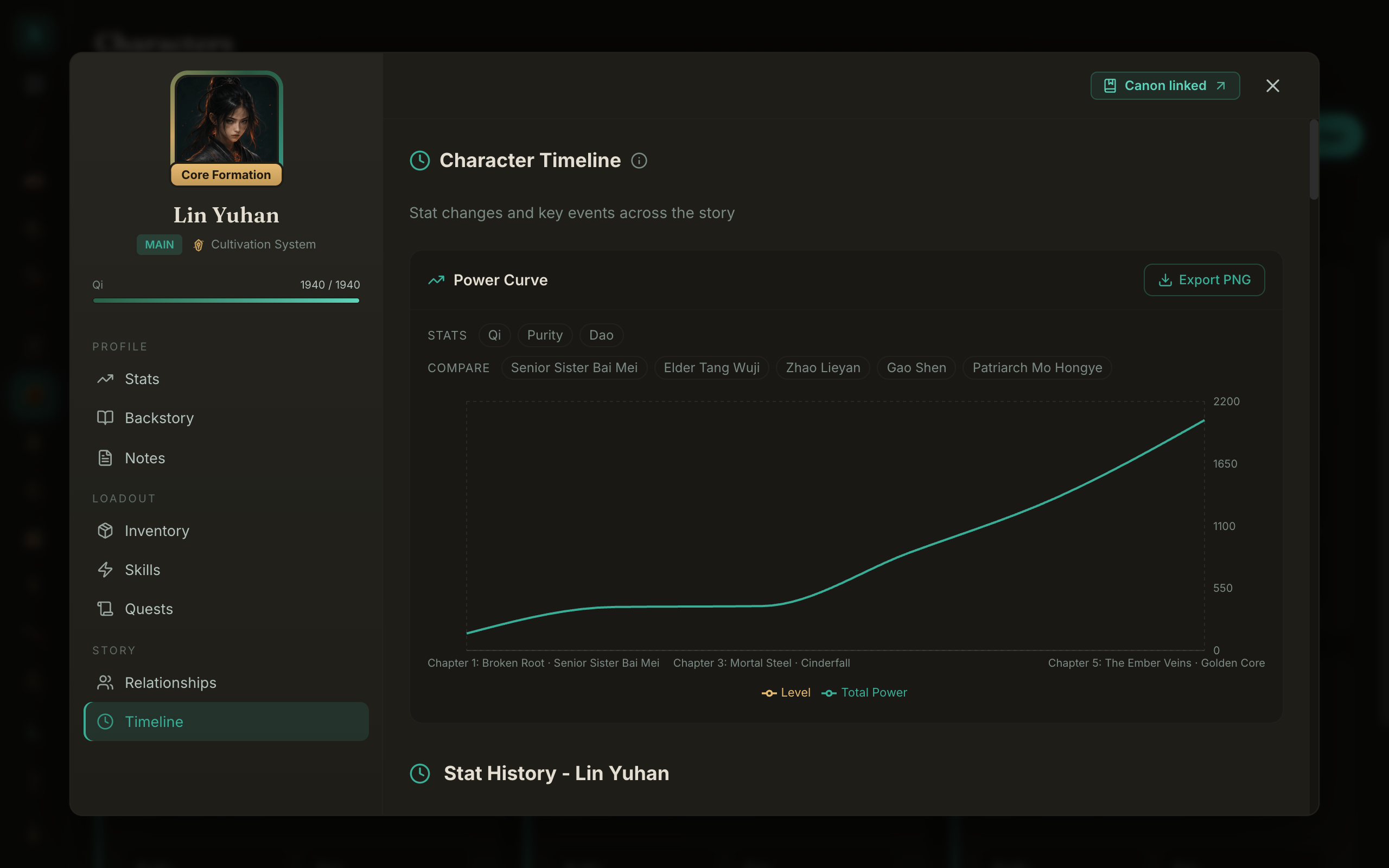
New: see your power curve
Open any character's Timeline tab and you get a graph of their level and total power across the whole book. You can overlay other characters to compare, and export the chart as an image. If a character spikes too fast or stalls out, you can see it at a glance instead of feeling it three arcs later.
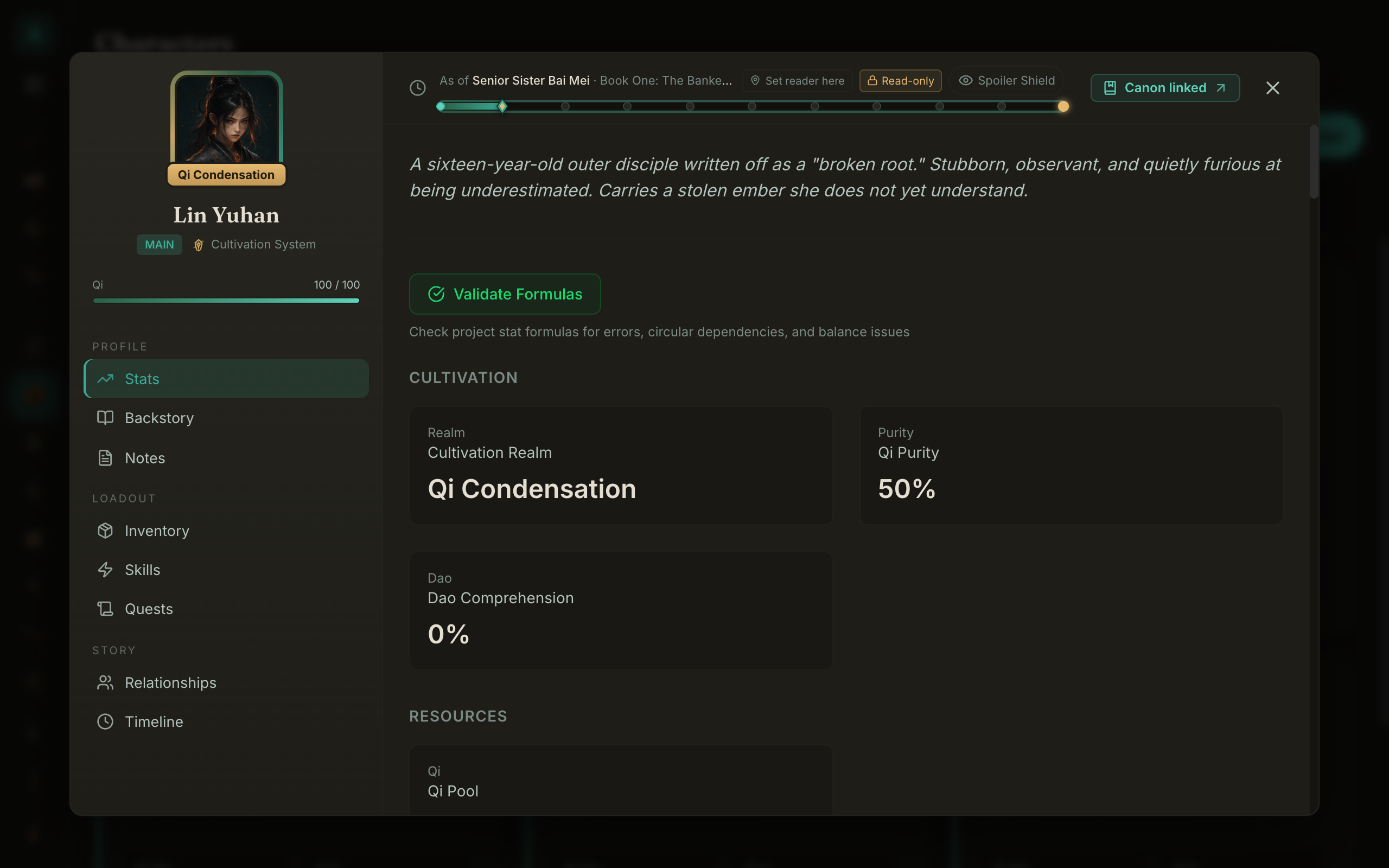
New: point-in-time, now you can scrub it
This was always the core idea, but now it is something you can play with. Open a character, drag the point-in-time bar back to any earlier scene, and their sheet shows exactly what they were then. The number you wrote in Chapter 3 stays a Chapter-3 number, even after you keep leveling them up for forty more chapters.
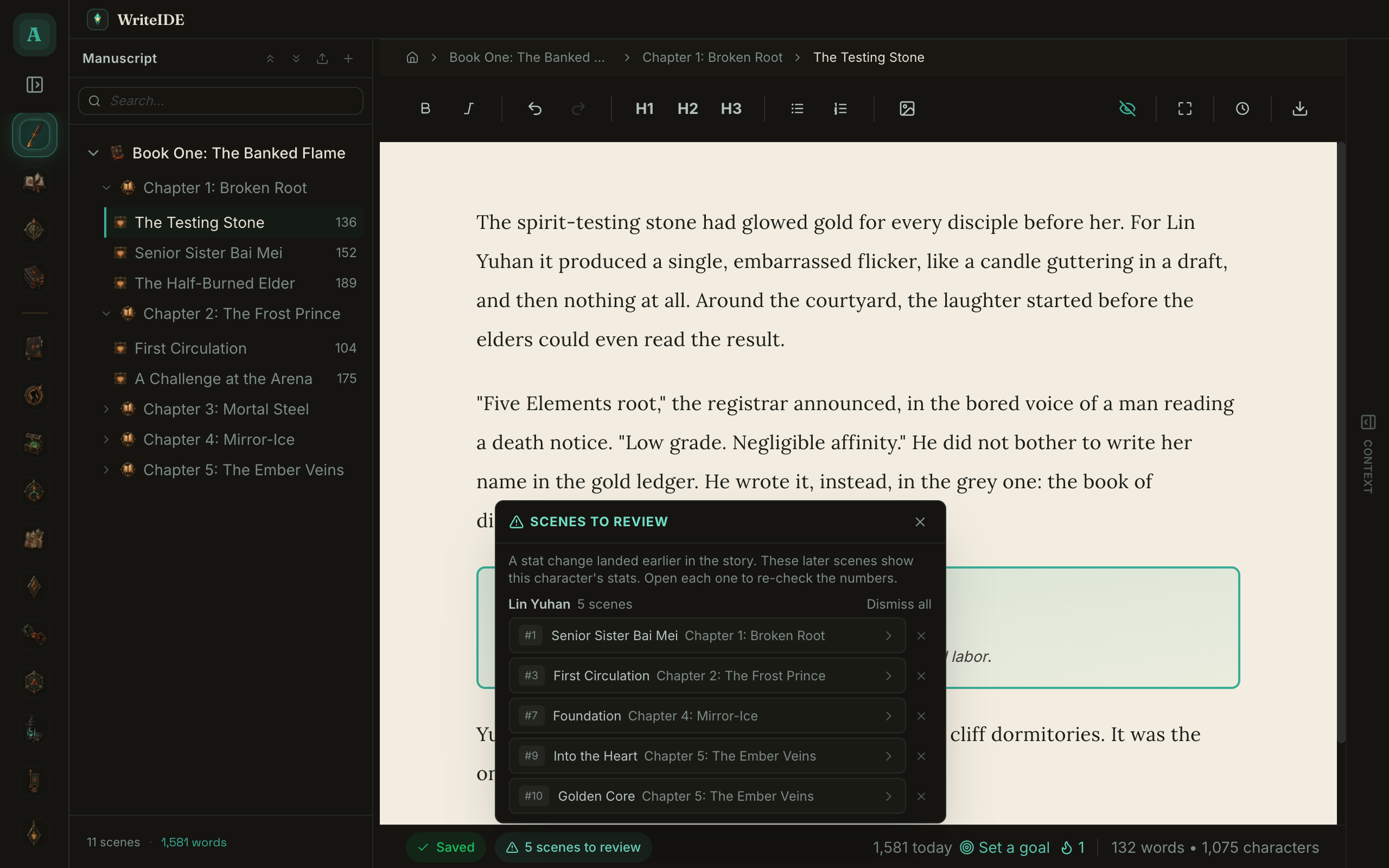
New: continuity alerts
Change a character's stat earlier in the story and WriteIDE flags every later scene that shows that character's stat block, so you can re-check the numbers on display. This is the thing readers catch and authors dread. Now you catch it first.
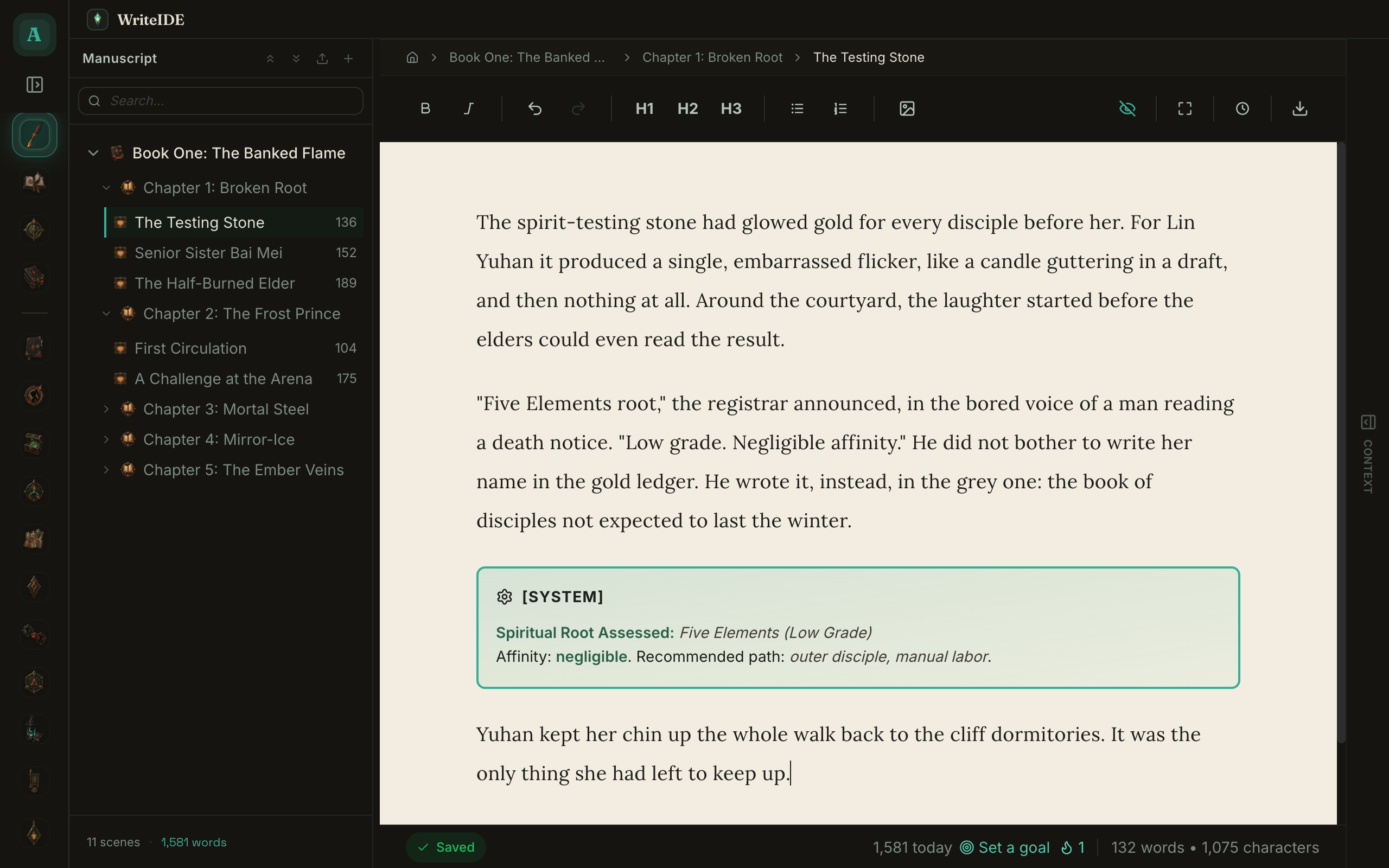
New: hover any name while you write
Type or mention a character's name and hover it to see who they are and their stats as of that exact scene, without leaving the page or breaking your flow. The database and the manuscript finally talk to each other inline.
New: import brings your world with it
Importing a manuscript now scans the prose and offers to add the characters, skills, items, and locations it finds. If you are arriving with a hundred chapters already written, you are not re-entering your whole cast by hand.
Faster, smaller, safer
- The editor stays smooth on long manuscripts. Typing, autosave, and search were all reworked.
- The download is about 75% smaller.
- Your database is backed up automatically before every update, and scene reorder, delete, and restore now keep your point-in-time history exactly right.
- Project-wide find and replace, with an automatic snapshot so you can undo.
One platform note
On Mac, WriteIDE now requires macOS 12 (Monterey) or newer. Macs on older versions stay on 0.4.8 and will not be offered this update. Windows and Linux are unchanged.
It is free, local-first, and requires no account. Download it here and let me know what you think.
More in Release notes
Saves and backups are safer and visible, words typed just before a crash are offered back, lost projects can be restored from their backups, and long manuscripts import without freezing.
9 min readWriteIDE 0.7.4: visible backups, crash recovery, smoother importsSaves and backups are safer and visible, words typed just before a crash are offered back, lost projects can be restored from their backups, and long manuscripts import without freezing.
9 min readWriteIDE 0.7.3: every resource pool, clearer History, safer scene changesDamage, healing and Record a change now work with every numeric resource, stat edits land where you are looking, and History and scene deletion explain what they do.
4 min readNotes worth sending
Release notes when a version ships, plus Lab notes and guides. No weekly filler.