What's new in WriteIDE 0.5.0
The last release was about keeping your numbers correct. This one is about a harder problem: your world bible knows everything, but your reader, sitting on chapter five, only knows what they have read so far. WriteIDE 0.5.0 finally tells those two views apart. Plus a rebuilt loadout, item sets, and stats that show exactly how every number was reached. Here is what changed, in plain terms.
New: the Spoiler Shield
Your Canon library remembers every name, twist, and hidden identity in the book. That is the point. But it also means a hover card, a shared world bible, or a stray mention can hand a reader a reveal you were saving for chapter forty.
Now you can mark when each entry becomes known to readers. Pin a reader position to any scene, and WriteIDE shows you the world as a reader at that point would see it. Anything not yet revealed gets a shield and is held back. You still see everything, because you are the author. The lens is a preview of what your reader knows, not a wall.
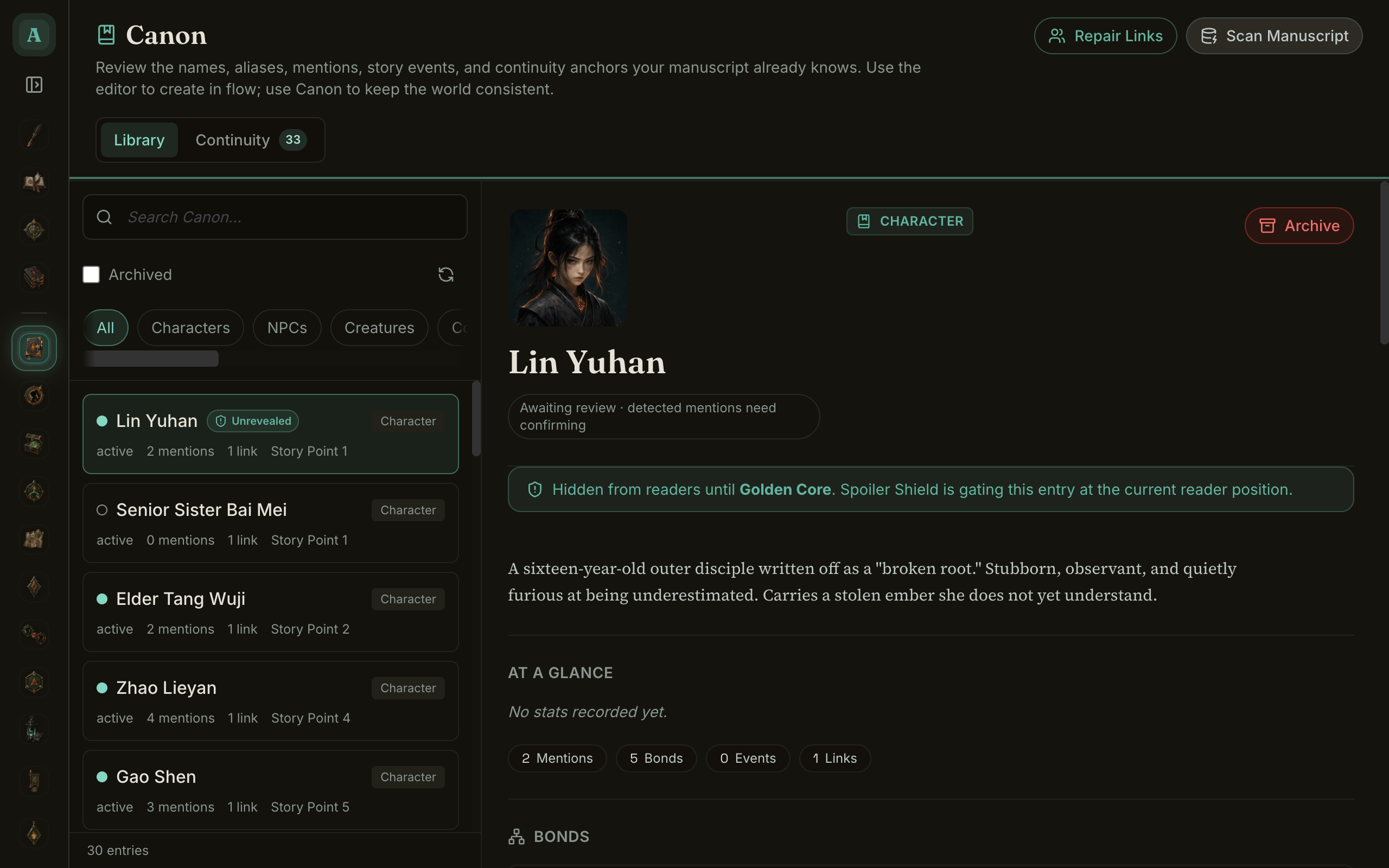
It also catches leaks for you. Once an entry has a reveal scene, WriteIDE scans your manuscript and flags anywhere that entry is mentioned before it is supposed to be known. No more realizing in edits that you named the villain two chapters early.
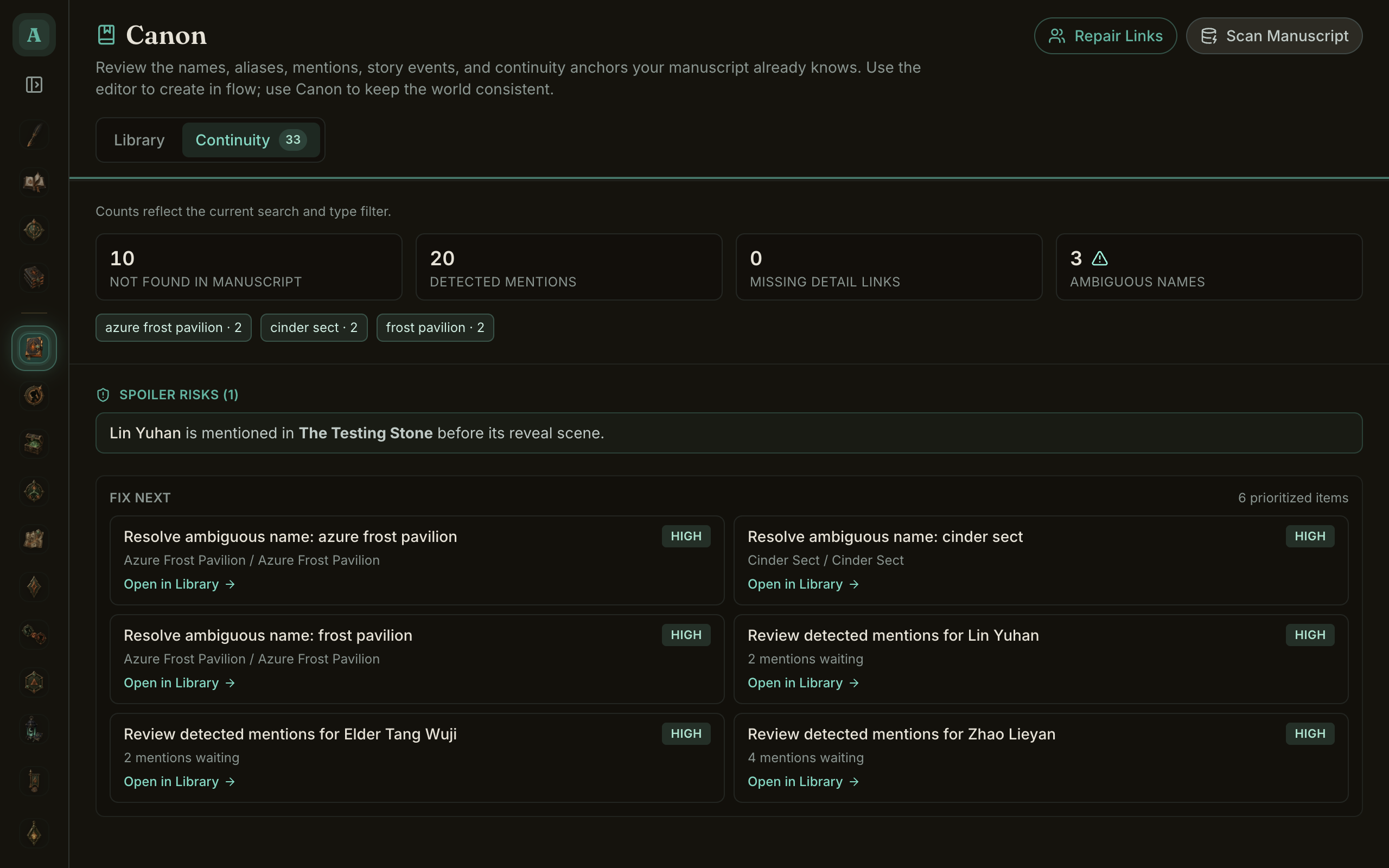
And when you export a world bible to share with a beta reader or an editor, the Reader Edition leaves out everything not yet revealed and clamps stats, timeline, and inventory to the reader's scene. You can hand someone a spoiler-safe companion to the part they have actually read.
New: a loadout you can actually see
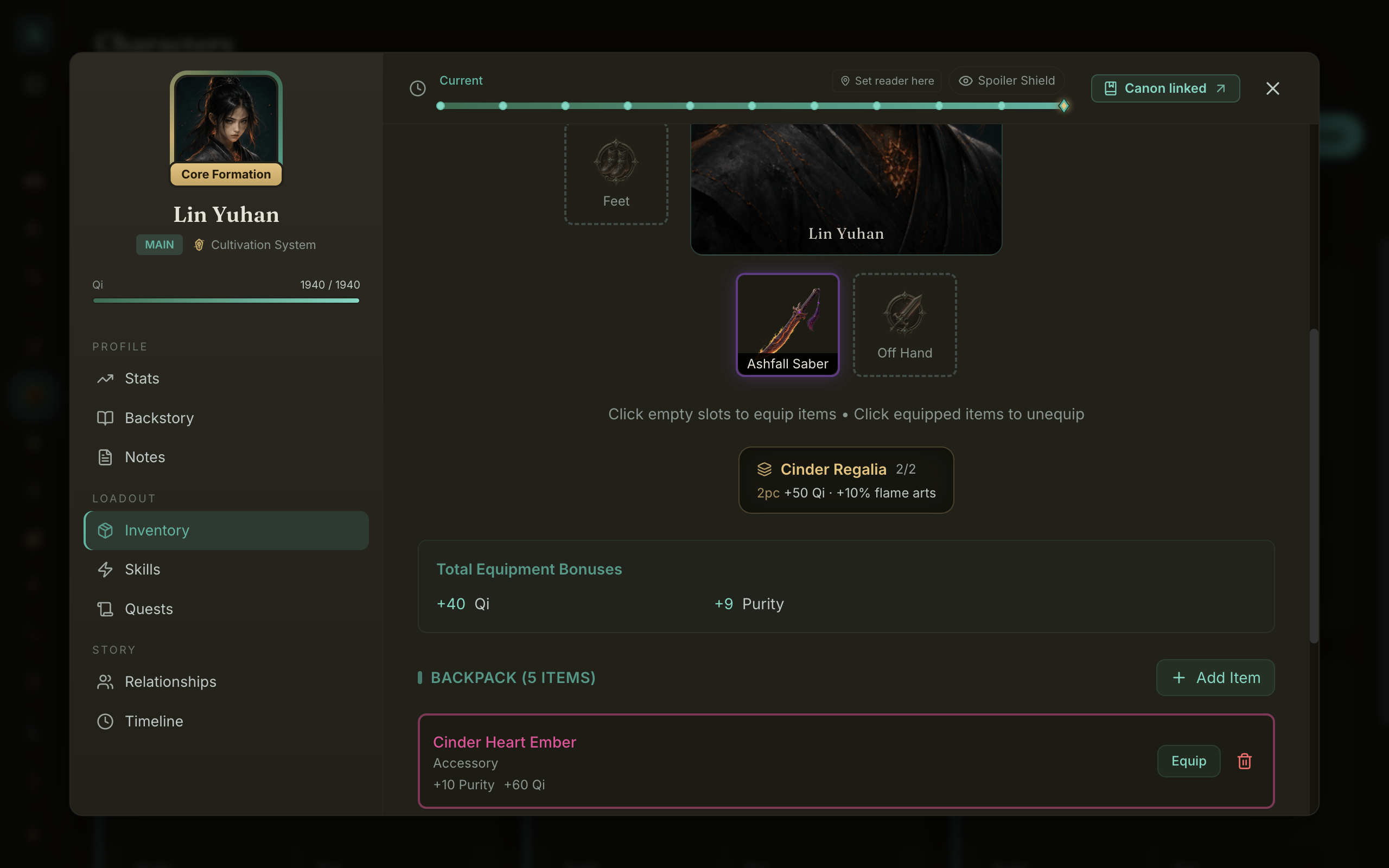
Equipment used to be a list. Now it is a character. Open the Inventory tab and you get a portrait with anatomical slots around it, weapon and off-hand below, and the whole thing is point-in-time aware. Drag the reader bar back and the loadout rebuilds to whatever was equipped at that scene, the same way the rest of the sheet does.

Equipping is now honest about slots, too. A fix this release means an item occupies one slot, so you can wear a helm and boots at the same time, and unequipping one piece leaves the rest alone.
New: item sets
Define a set once, list its tiers, and the bonuses apply themselves whenever the pieces are equipped. Two pieces for a stat boost, the full set for a signature ability, the way LitRPG readers expect. Set bonuses stack with item stats and flow straight into stat blocks, point-in-time snapshots, and exports.
New: every number shows its work
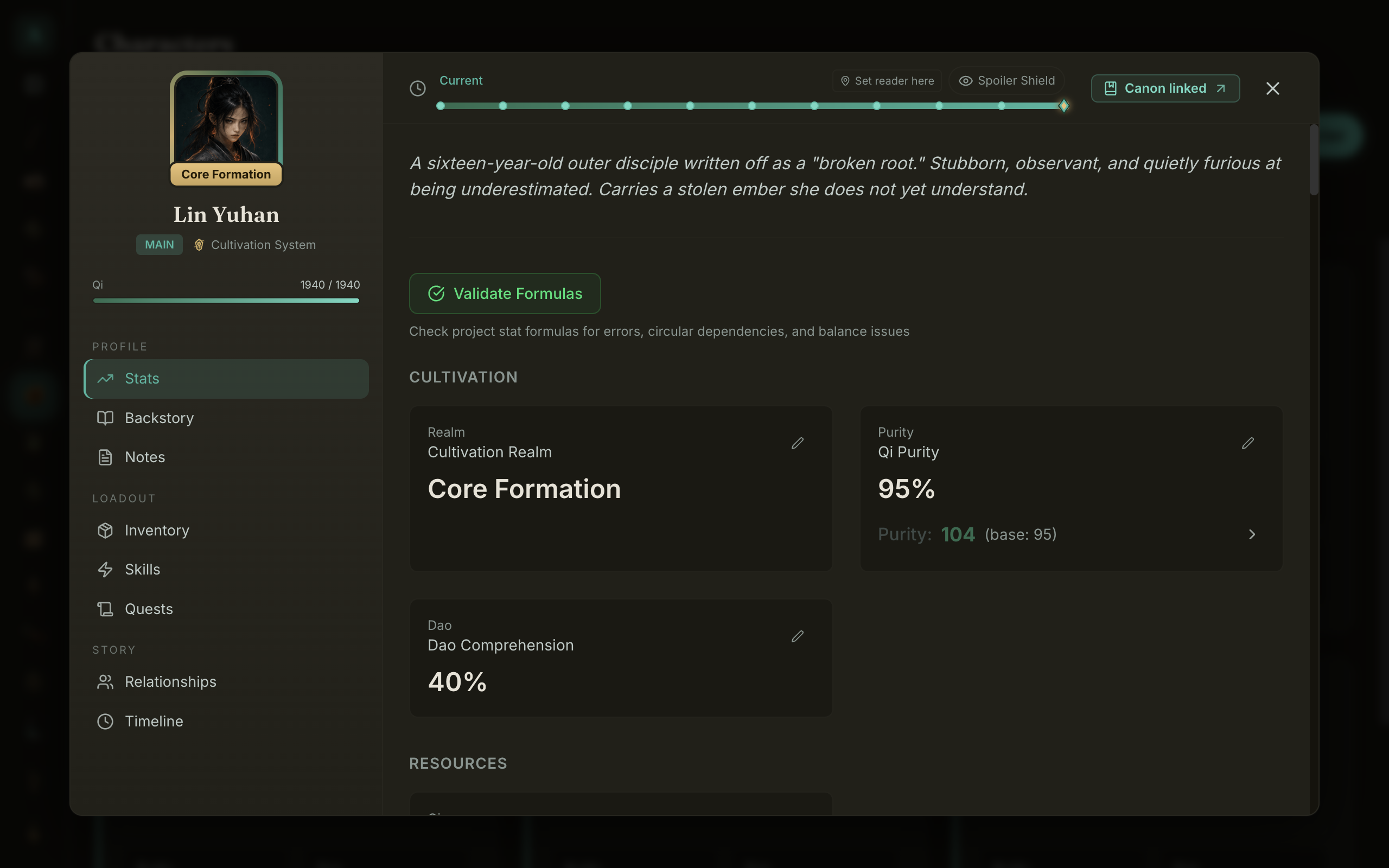
When a stat reads 104 and the base is 95, you can now see exactly where the other nine came from: which items, which set bonuses, which titles and buffs, and the order they were applied. The two ways WriteIDE computes stats, the live sheet and any point-in-time view, were unified behind a single engine this release, so the number on the page and the number in chapter three are produced the exact same way. Locked down with a test so they can never drift apart again.
New: a real welcome screen
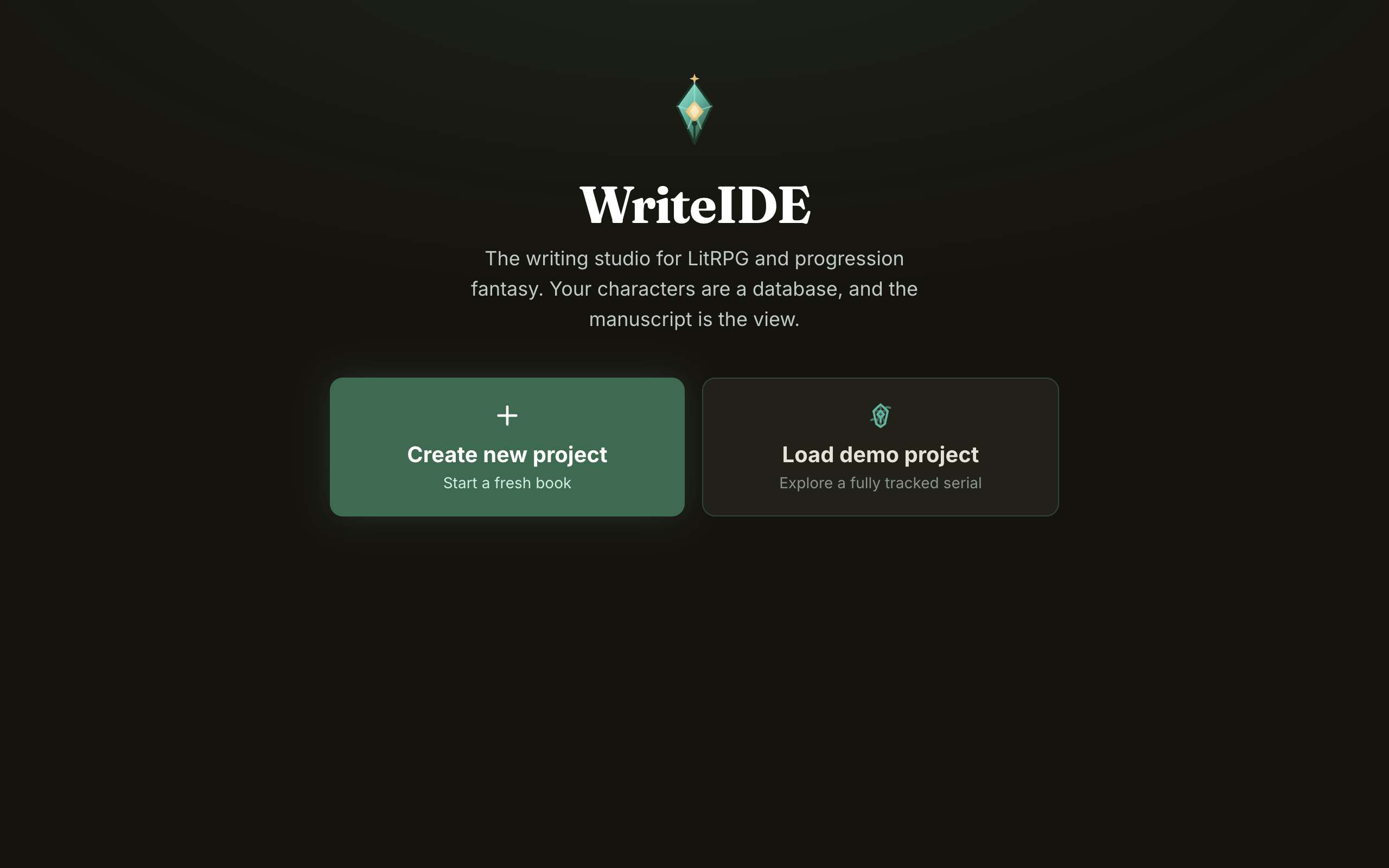
First launch finally looks like the app instead of a placeholder. Clean WriteIDE branding, the jade-quill mark, and one-click buttons to start a project or load the fully tracked demo. Returning users land straight in their most recent project instead of a homepage.
Under the hood
- The Canon page was redesigned to read like a character profile, not a database row.
- The unused combat simulator was removed entirely, code and tables, to keep things lean.
- A round of point-in-time fixes for inventory, quests, and stat blocks so older scenes stay accurate.
It is free, local-first, and requires no account. Download it here and let me know what you think.
More in Release notes
Saves and backups are safer and visible, words typed just before a crash are offered back, lost projects can be restored from their backups, and long manuscripts import without freezing.
9 min readWriteIDE 0.7.3: every resource pool, clearer History, safer scene changesDamage, healing and Record a change now work with every numeric resource, stat edits land where you are looking, and History and scene deletion explain what they do.
4 min readWriteIDE 0.7.2: safer stats, saved chapters, and a calmer workspacePrepare saved chapters, move typed stats through CSV and Excel, and keep typography and Focus choices with each project.
10 min readNotes worth sending
Release notes when a version ships, plus Lab notes and guides. No weekly filler.